Opal Alternative: Without the $100/Year Price
Disclosure: Cursed Screen is our product. Opal data from their website, Play Store, and user reviews. Last reviewed: April 2026.
Opal is one of the most expensive screen time apps on the market. $9.99 per week. $99.99 per year. $400 lifetime. If you’re searching for an alternative, the price probably isn’t the only reason. The Android version is buggy. The VPN-based blocking raises privacy questions.
This article compares Opal to Cursed Screen, an Android app (free trial, then $29.99/year or a $98.99 lifetime unlock) that takes a different approach: it doesn’t block anything. It makes your phone visually unpleasant after a grace period. No VPN.
What Opal does well
Opal isn’t a bad app. It’s a polished one, especially on iOS, where it was an Apple Design Award finalist. Some of what it gets right:
- Focus Sessions are easy to start. Tap a preset, lock in for 30 minutes or two hours.
- Deep Focus (locked mode) prevents bypassing the session.
- Recurring sessions automate focus windows for work hours, sleep, or study.
- The iOS design is genuinely good. Clean cards, clear copy.
- Focus Score gives you a daily metric. For people who like quantification, it works.
If you’re on iOS and price isn’t an issue, Opal is a defensible choice. The problems start when you’re on Android, or when you start asking why a screen-time app costs more than most fitness trackers.
Where Opal breaks
The complaints below come from Opal’s Play Store reviews and third-party reviews, not made-up grievances.
The price is genuinely absurd. $99.99 per year is more than 2.5x what Freedom charges and triple what AppBlock charges. ScreenZen is free. Lifetime at $400 is in iPad territory. For an app that helps you spend less time on your phone, a weekly subscription to be reminded of that feels off. People who care enough about screen time to pay for an app generally aren’t the same people who want a $100/year renewal hanging over their head.
The Android version is early-stage. Opal launched on iOS years before Android. The Android port is reportedly buggy — users describe battery drain, mobile data overuse (one reviewer saw 8GB consumed in a couple of weeks), and inconsistent blocking. The whole point of a background app is that it works without you thinking about it. If it’s burning your data plan, you’ll notice it for the wrong reasons.
It’s VPN-based. Opal routes traffic through a local VPN to block apps and sites. This conflicts with work VPNs, raises privacy concerns (your traffic is going through them), and on Android can be disabled in three taps. Block your own apps, then realize at the next dopamine hit that you can just turn it off. The friction is too low.
Blocking is inconsistent. Multiple users report apps still launching during a Deep Focus session. Notifications come through. For an app charging $100/year, “mostly works” isn’t a strong pitch.
How Cursed Screen is different
| Opal | Cursed Screen | |
|---|---|---|
| Price | $99.99/year or $400 lifetime | $29.99/year or $98.99 lifetime |
| VPN required | Yes | No |
| Gamification | Focus scores, streaks, gems | Streaks + leaderboard that reward less screen time |
| Android quality | Early, buggy | Native, stable |
| Approach | Blocking | Visual deterrence |
| Works during normal use | Only in sessions | Always, after grace period |
| Data leaving device | Routed via VPN | No VPN or traffic routing |
| Platforms | iOS, macOS, Android (limited) | Android |
Cursed Screen doesn’t block apps. There’s no allowlist of blocked sites, no scheduled focus sessions, no VPN. It runs as a background service and tracks your screen-on time. After a configurable grace period (default 30 minutes for daily tracking, 5 minutes for session tracking), the screen begins to deteriorate.
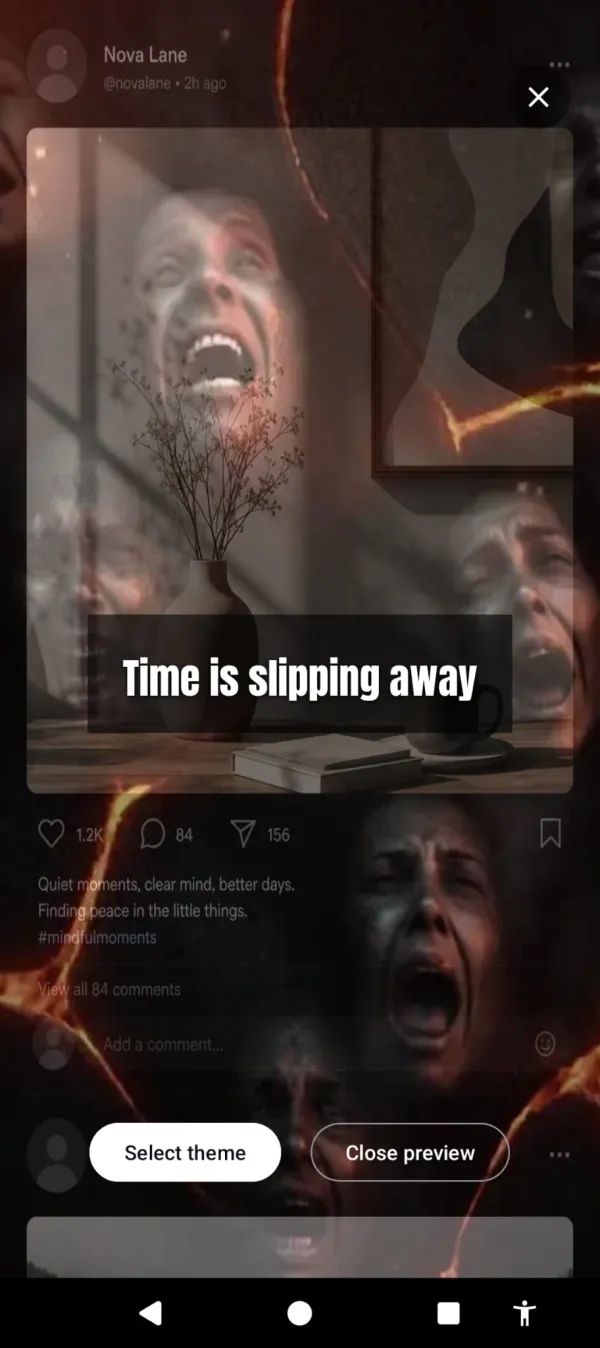
Flames lick in from the edges. Glass cracks across the corners. Bugs scuttle along the screen border. A red glow oozes inward. The longer you scroll, the worse the screen looks. Nothing is blocked. All taps go through. Your apps still work. The phone just gets progressively harder to look at.
Ninety minutes in. The feed’s on fire and time’s slipping away.
There’s also a positive mode. Instead of hellfire and bugs, the screen flashes briefly with aurora borealis or golden sunlight, paired with short text nudges — “the world misses you”, “someone is smiling nearby”, “there’s magic out there”. Same idea, different lever. Pull, instead of push.
The third piece points the other way. A streak counts the days you stayed under your limit — the one number the app keeps, and it climbs when you use the phone less.
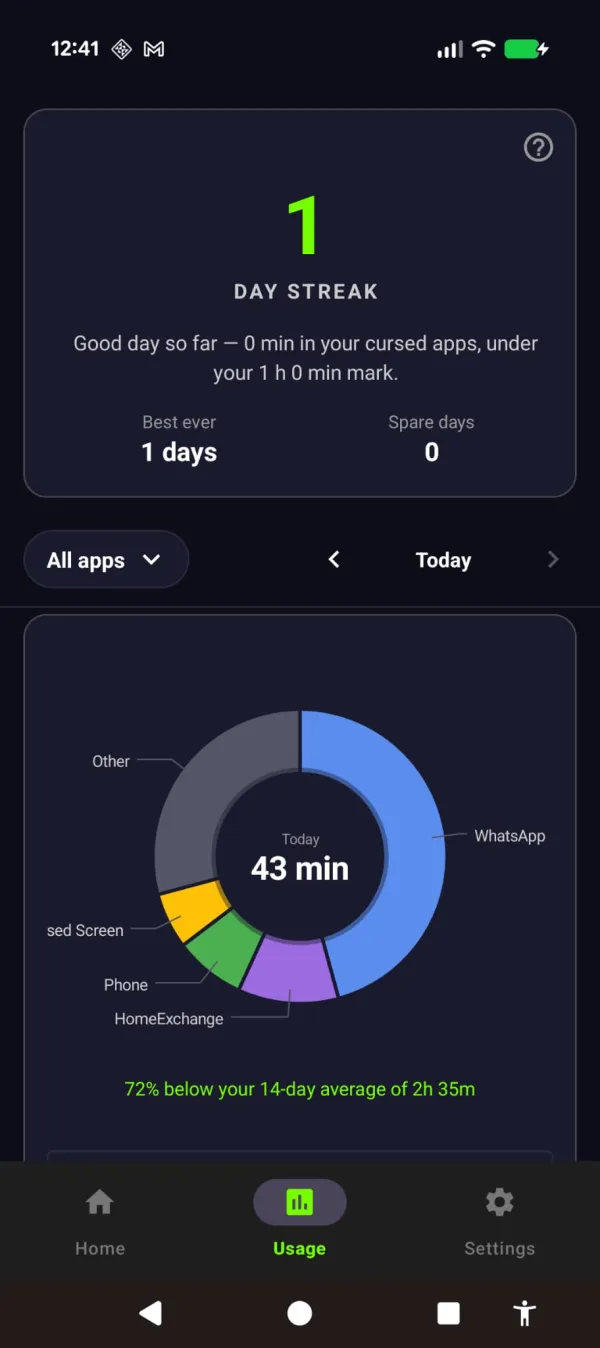
Put the phone down and the streak pays you back — 72% under your usual.
Honest pros and cons of Cursed Screen
I built this thing. I’m not going to pretend it’s perfect.
Pros:
- $98.99 lifetime — a quarter of Opal’s $400 — or $29.99/year. Buy once and there are no renewals.
- No VPN. No traffic routing. No personal data — just anonymous analytics and crash reports.
- Works passively in the background — no sessions to start.
- Multiple themes (hellfire, glass cracking, crawling bugs, red glow, aurora, sunlight).
- Whitelist for messaging, music, and work apps.
- Built for Android — not a port from another platform.
Cons:
- Android only. No iOS, no desktop.
- Doesn’t block anything. If you want a hard block, this is the wrong tool.
- The visual overlay isn’t for everyone. Some find hellfire too intense; some want it more aggressive.
- It’s new. Opal has years of polish. Cursed Screen has a few months in production.
If the cons disqualify it for you, fair. There are other apps to manage screen time that might fit better.
Who Cursed Screen is for
People who’ve tried blockers and noticed the pattern: install, configure, hit a wall an hour later, disable, scroll for two hours, re-enable out of guilt. The cycle is the giveaway. The willpower model doesn’t survive a phone designed by hundreds of engineers to defeat it. Visual deterrence works because you don’t need willpower to feel uncomfortable looking at crawling bugs — you just look away. For more on the underlying pattern, see phone addiction and how to break phone addiction.
The bottom line
Opal is a well-made app with a pricing strategy that doesn’t survive a sniff test and an Android version that isn’t ready. It works on iOS for people who like dashboards. It doesn’t work on Android, and $100 a year is a lot to pay to find that out.
Cursed Screen is $29.99/year, or $98.99 once for lifetime. No VPN. No personal data leaves your device — only anonymous analytics. The phone looks worse the longer you’re on it, and clears up when you put it down. That’s the product.
Try it on the Play Store. There’s a free trial. If it’s not for you, you’ve lost nothing. If it is, you’re done paying for screen-time apps every year.
Ready to try a different approach?
Cursed Screen makes your phone progressively uglier the longer you use it. No blocking, no willpower needed — you'll want to put it down.
Get Cursed Screen on Google Play