Can You Make an Unbreakable App Blocker?
You want an app blocker you can’t bypass. You’ve tried the regular ones. You disabled them within a week. Now you want something harder. A blocker so strict that even when your willpower collapses at midnight, the block holds.
A few apps promise this:
Digital Detox: Focus & Live — 100K+ downloads, 4.6 rating. Markets itself as “The Unbreakable Blocker.” Once you commit to a block, there are no loopholes. You can break it, but the app charges you money. “Pay Only When You Fail” is their tagline. The financial penalty is the enforcement mechanism.
AppBlock — 10M+ downloads, 4.6 rating. Strict Mode locks the block in place for a set duration. You can’t disable Strict Mode until the timer expires. Anti-uninstall features prevent you from removing the app to bypass it.
Stay Focused — 5M+ downloads, 4.5 rating. Strict blocking mode with admin device permissions. Harder to remove than most apps.
blockit — 100K+ downloads, 4.5 rating. “Your ticket to freedom from smartphone addiction.” Full phone disable during focus sessions.
Why truly unbreakable is impossible
On Android, you can always bypass any app blocker. The question is how many steps it takes.
Force stop the app — Settings > Apps > [Blocker Name] > Force Stop. Works on every app that doesn’t have device admin permissions.
Revoke permissions — Settings > Accessibility > disable the blocker’s accessibility service. Most blockers need this permission to detect which app you’re opening. Revoke it and the blocker goes blind.
Uninstall — even “anti-uninstall” features can be overridden through Settings > Apps > Uninstall, or through ADB commands. Device admin apps require an extra step (Settings > Security > Device Admins > deactivate first), but it’s still possible.
Safe Mode — reboot into Safe Mode and all third-party apps are disabled. Uninstall the blocker. Reboot normally.
No app can be truly unbreakable on Android because Android is designed to give the user ultimate control over installed apps. That’s a security feature, not a bug. If an app could genuinely prevent you from removing it, that would be malware behavior. Google would pull it from the Play Store.
The “unbreakable” blockers add friction to the bypass process. They don’t eliminate it. AppBlock’s Strict Mode makes you wait. Digital Detox makes you pay. blockit requires multiple steps. All of them can be defeated by a determined user in under 2 minutes.
The question you should ask instead
“How do I make the blocker harder to bypass?” is the wrong question. The right question: “Why do I keep bypassing it?”
You bypass the blocker because your craving exceeds the friction. The craving is strong (dopamine system fully engaged, late at night, willpower depleted). The friction is weak (a few taps in settings). The craving wins.
Adding more friction (Strict Mode, anti-uninstall, financial penalties) raises the bar. But the craving also escalates. The more you restrict, the more the craving builds. Psychological reactance — restrict someone’s freedom and they want the restricted thing more. Block TikTok and TikTok becomes the only thing you can think about.
This is why every “unbreakable” blocker has the same review pattern: “Worked great for a week, then I found a workaround.” The user didn’t fail. The approach has a structural flaw. It’s an arms race between the blocker and the user, and the user always wins because the user controls the device. As one Reddit user put it: “Every app blocker I’ve used I eventually turned off and felt worse for it.” Another was blunter about why: “they all suck for the exact same reason: they rely on guilt.”
What if there’s nothing to break?
Cursed Screen doesn’t block anything. There’s no block to break. No Strict Mode to disable. No timer to wait out. No financial penalty to override.
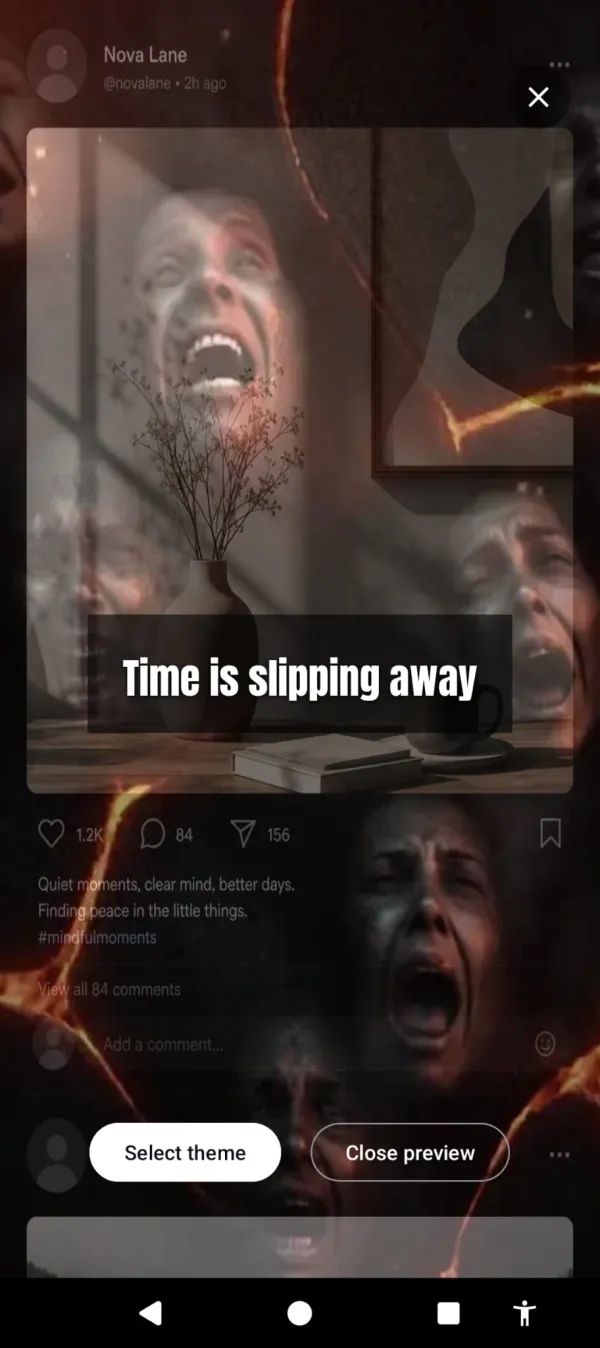
Instead, after a grace period, the phone’s screen fills with visual overlays. A crimson glow. Glass fracturing. Insects crawling from the edges. All apps still work. All taps go through. You can use your phone normally. The phone just looks increasingly wrong the longer you use it.
Nothing to disable here. The longer you stay, the more the screen rots.
You can’t bypass this the way you bypass a blocker because there’s nothing to bypass. The overlay isn’t preventing you from doing anything. It’s changing how the phone looks and feels. The avoidance response is automatic — your brain registers the visual discomfort and reduces the reward of continuing to scroll.
There’s no reactance because there’s no restriction. Nothing is blocked, so there’s nothing to rebel against. You’re free to keep scrolling. You just won’t want to, because the scroll is contaminated.
And it’s not only doom. A positive mode flips the whole thing — aurora and warm light wash over the feed to pull you off the phone with beauty instead of dread. Negative, positive, or a mix; you decide. A streak tracks the days you stay under your limit, so there’s something to keep instead of something to break.
| ”Unbreakable” blocker | Cursed Screen | |
|---|---|---|
| Can be bypassed | Yes (Force Stop, Safe Mode, Settings) | Nothing to bypass |
| Creates reactance | Yes (restriction triggers craving) | No (nothing restricted) |
| Works at midnight | If you don’t override it | Yes (no override needed) |
| Requires setup per session | Usually | No (always running) |
| What it does | Prevents access | Degrades experience |
Cursed Screen has a free trial on Android. Subscribe monthly or annually, or pay once for lifetime access. You don’t need an unbreakable blocker. You need a phone that makes scrolling feel wrong on its own. Nothing to fight. Nothing to bypass. Nothing to break.
Reduce your screen time — without blocking anything
Cursed Screen makes your phone progressively uglier the longer you use it. No blocking, no willpower needed — you'll want to put it down.
Get Cursed Screen on Google Play