YouTube Addiction: When 'One More Video' Turns Into 3 Hours
YouTube is the addiction nobody takes seriously. TikTok gets the headlines. Instagram gets blamed for teen mental health. Reddit gets called a time sink. YouTube? “I’m just watching tutorials.” “I’m learning something.” “It’s educational.”
Then you check your screen time and YouTube is your number one app at 2 hours and 14 minutes per day. Half of that is Shorts. A quarter is autoplay recommendations you didn’t choose. The tutorials were 15 minutes. The rest was the algorithm.
YouTube’s double addiction problem
YouTube’s worse than other apps because it wraps two separate addictive formats into one product.
Long-form recommendations. You watch one video about a topic. YouTube suggests five more. You watch one of those. It suggests five more. The autoplay queue is infinite and curated to your interests. Two hours later, you’ve watched 8 videos about a topic you didn’t care about this morning.
The recommendation engine is YouTube’s core product. It drives 70% of watch time on the platform. You didn’t choose most of what you watch. The algorithm chose it and you went along.
Shorts. YouTube’s TikTok clone. 70 billion daily views. The same infinite-scroll, variable-ratio-reinforcement, 15-60 second format that makes TikTok addictive. Shorts appear in your feed, in your subscription page, on the home screen, and in a dedicated tab. YouTube puts them everywhere because they drive the highest engagement per minute.
The combination is what makes YouTube addiction distinct. You open the app intending to watch a specific video. The Shorts shelf catches your eye. You tap one. You swipe through 30. You surface back to the home screen. Now the recommendations are colored by what you just watched. Down a new rabbit hole. The two formats feed each other.
Why YouTube feels less like addiction
YouTube users don’t identify as addicted the way TikTok or Instagram users do. Three reasons:
The content feels productive. Cooking videos. Coding tutorials. History documentaries. Science explainers. The content on YouTube has a veneer of utility that social media doesn’t. You tell yourself you’re learning. Sometimes you are. But the 14th video about a topic you’ll never act on isn’t learning. It’s consumption disguised as learning.
Sessions are longer but less frequent. You might open TikTok 15 times a day for 5 minutes each. You open YouTube twice for 60 minutes each. The total is similar. But the TikTok pattern feels compulsive (frequent checking) while the YouTube pattern feels chosen (longer sessions). The YouTube pattern is just as compulsive; you’re just better at rationalizing it.
Autoplay removes the decision. On TikTok, you actively swipe. On YouTube, you passively watch. Autoplay serves the next video without asking. You never decide to watch the next video. It just starts. This makes YouTube sessions feel like they “just happened” rather than something you chose, which reduces the guilt signal that would normally make you stop.
YouTube’s screen time tools are theater
YouTube has “take a break” reminders. You can set them at 15, 30, 60, or 120 minute intervals. When the reminder fires, a notification suggests you stop watching.
You dismiss it in under a second. The next video is already loading. YouTube designed the reminder to be as easy to ignore as possible because YouTube’s revenue depends on you watching the next video. The tool exists for PR and regulatory compliance, not for your well-being.
YouTube also lets you turn off autoplay. In theory. In practice, autoplay re-enables itself periodically, and the “Up Next” sidebar is designed to be almost as compelling as autoplay. Clicking “stop autoplay” doesn’t stop the recommendation engine from showing you exactly what you want to watch next.
What works against YouTube addiction
Separate Shorts from long-form. If Shorts are the problem (they usually are), see our guide on how to block YouTube Shorts specifically. Modified clients like ReVanced can remove the Shorts shelf entirely.
Use YouTube in a browser. The mobile website is less polished, slower, and doesn’t push Shorts as aggressively. Firefox mobile with uBlock Origin can hide the Shorts shelf. The worse experience is the point: it adds friction to casual browsing while keeping intentional searches functional.
Subscribe and don’t browse. If you have specific channels you watch, subscribe and only visit the Subscriptions tab. Never the Home tab. The Home tab is the recommendation engine. The Subscriptions tab shows what you chose to follow. The difference in session length is dramatic.
Block YouTube during specific hours. AppBlock or Freedom can block YouTube entirely during work hours or after 10pm. This doesn’t solve the evening scroll but it prevents the daytime rabbit holes.
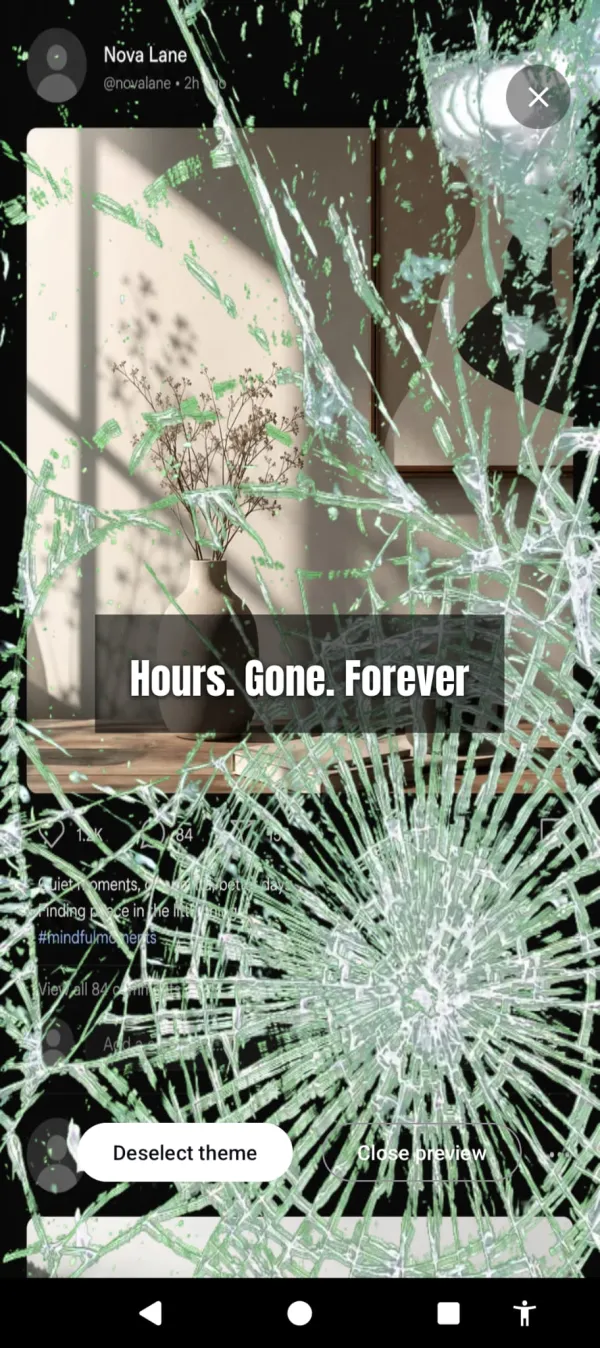
Make YouTube sessions progressively uncomfortable. Cursed Screen makes your phone’s screen progressively ugly the longer you use it. After your grace period, overlays creep in. Flames at the edges. Glass cracking. Bugs. YouTube still plays. Autoplay still fires. But watching a video through a screen that looks increasingly broken changes the experience from passive consumption to active discomfort.
YouTube addiction is about long sessions more than frequent opens. That’s why friction apps (which catch the opening) don’t help much with YouTube — you open it once and stay. Cursed Screen works throughout the session. At minute 10, the overlay is subtle. At minute 60, your screen looks hostile. The algorithm can serve you the most interesting video in the world, but watching it through creeping hellfire isn’t the same.
Autoplay still fires. It just fires onto a screen that’s cracking apart.
Session-based tracking means closing YouTube for 10 minutes visibly improves the overlay. The phone rewards you for pausing. If you want to watch a specific 20-minute video, set a grace period that covers it. The overlay only punishes the unintended marathon, not the intentional watch.
The YouTube rationalization
“But I’m learning.” Maybe. Check your watch history from yesterday. Count the videos that taught you something you’ve since applied versus the videos you watched passively and have already forgotten. For most people, the ratio is 1:10. One useful video for every ten that were just content. That’s not learning. That’s consumption with a nicer label.
Cursed Screen has a free trial on Android. Subscribe monthly or annually, or pay once for lifetime access. It won’t stop you from watching a tutorial. It’ll stop you from watching the 14 autoplay videos that follow it.
The tutorial was 12 minutes. The rabbit hole was 2 hours. You know the difference. Your screen time tracker confirms it.
Want a tool that does this automatically?
Cursed Screen makes your phone progressively uglier the longer you use it. No blocking, no willpower needed — you'll want to put it down.
Get Cursed Screen on Google Play