StayFree Alternative: Tracking Alone Doesn't Change Behavior
Disclosure: Cursed Screen is our product. StayFree data from their Play Store listing and website. Last reviewed: June 2026.
StayFree is a cross-device screen time tracker. Daily charts. Weekly trends. App usage breakdowns. Website tracking. Overuse reminders. Focus mode. Sleep mode. Available on Android, iOS, Windows, Mac, Chrome, and Firefox.
StayFree is good at showing you the problem. It’s less good at fixing it. Knowing you spent 4 hours on your phone yesterday doesn’t make today’s number 3. If awareness alone changed behavior, calorie counting would have solved weight loss decades ago.
If you’re searching for a StayFree alternative, you’ve probably seen the data. You’ve looked at your charts. You’ve felt bad about the numbers. And then you scrolled for 4 hours again. The data is accurate. The behavior is unchanged.
What StayFree does well
- Cross-device tracking across Android, desktop, and browser extensions in one dashboard.
- Detailed usage history with daily, weekly, and monthly charts.
- Website tracking shows which sites you visit in Chrome/Firefox.
- Overuse reminders notify you when an app exceeds a threshold.
- Free tier is functional (freemium; premium unlocks extras).
Where StayFree breaks
- Tracking without enforcement. Charts don’t change behavior. The overuse reminders are notifications you dismiss.
- Awareness fatigue. After weeks of seeing the same numbers, the dashboard becomes wallpaper — you stop reacting to it.
- No real-time deterrent. The overuse reminder is a notification you swipe away; nothing changes the experience while you keep scrolling.
- Blocking is secondary. The focus mode and app blocking exist but aren’t as robust as dedicated blockers like AppBlock.
The tracking trap
StayFree, Digital Wellbeing, YourHour, ActionDash — every tracker has the same problem. They turn your phone addiction into a dashboard. Dashboards are for admiring or ignoring. They’re not for behavior change.
You know your screen time number. Has knowing it changed the number? For most people, no. The gap between awareness and action is where trackers fail.
How Cursed Screen is different
Cursed Screen doesn’t show you a number. It shows you what the number feels like.
After a grace period, your phone’s screen fills with visual overlays — flames, glass cracking, crawling bugs. The overlay is a real-time visual representation of your usage. Light overlay = moderate use. Heavy overlay = too long. You don’t need to open a dashboard to check. Your screen shows you.
| StayFree | Cursed Screen | |
|---|---|---|
| Tells you screen time | Yes (charts) | Yes (visual overlay) |
| Changes behavior | No (awareness only) | Yes (makes phone unpleasant) |
| Cross-platform | Yes (Android, desktop, browsers) | No (Android only) |
| Requires checking | Yes (open dashboard) | No (visible on screen) |
| Price | Free with ads | Free trial, then subscription or lifetime |
The visual overlay is a tracker you can’t ignore. StayFree’s chart sits in an app you open once a week. Cursed Screen’s overlay sits on your screen while you’re scrolling. The feedback is immediate, proportional, and impossible to dismiss without putting the phone down.
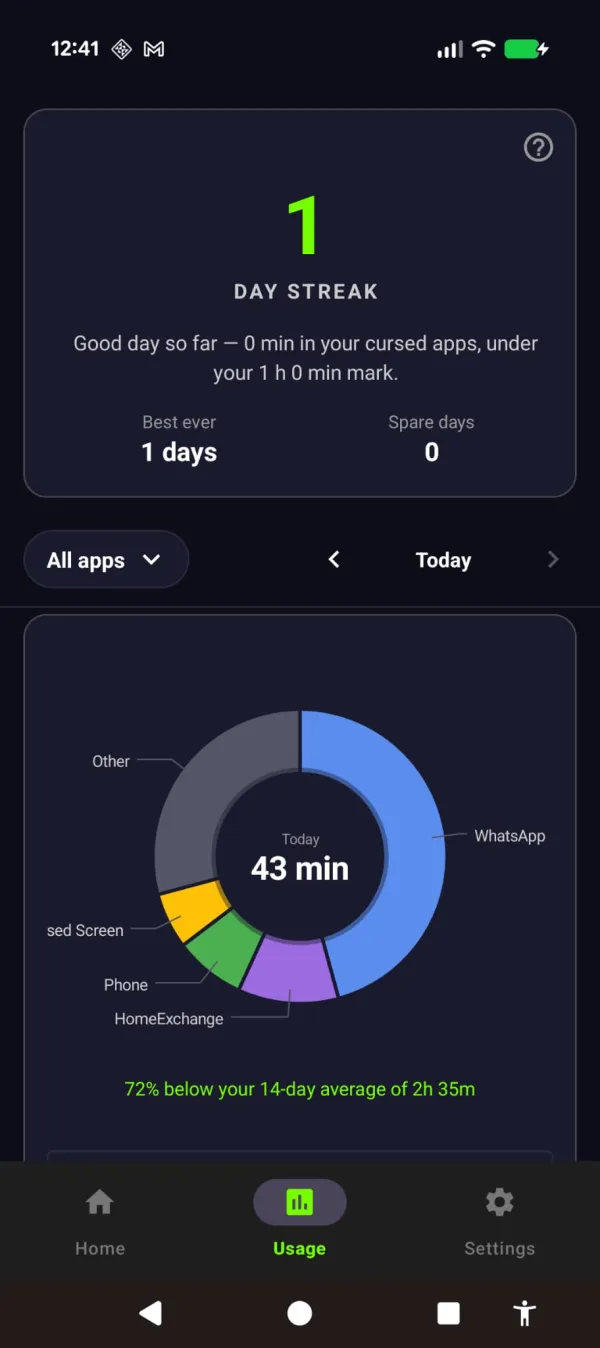
A streak that counts the days you stayed under. Not a chart of the time you already lost.
Use both. StayFree for the long-term data and cross-device trends. Cursed Screen for the real-time behavioral nudge. The tracker tells you what happened last week. The overlay changes what happens right now.
Cursed Screen has a free trial on Android. Subscribe monthly or annually, or pay once for lifetime access. StayFree will keep telling you how much time you wasted. Cursed Screen will make the wasting harder to enjoy.
Ready to try a different approach?
Cursed Screen makes your phone progressively uglier the longer you use it. No blocking, no willpower needed — you'll want to put it down.
Get Cursed Screen on Google Play